
Know where your money goes, every day.
Log expenses in seconds, plan each month, keep debts and loans on schedule and watch your projects pay off. One app for all your accounts and currencies.
Expenses Pro+ is coming soon to the App Store and Google Play. The store links will appear here on launch.
- Works offline
- Syncs across devices
- Multiple currencies
- 4 languages
What it does
Everything your money does, in one place
Four areas that cover daily spending, monthly plans, what you owe and what you invest.
Track every expense in seconds
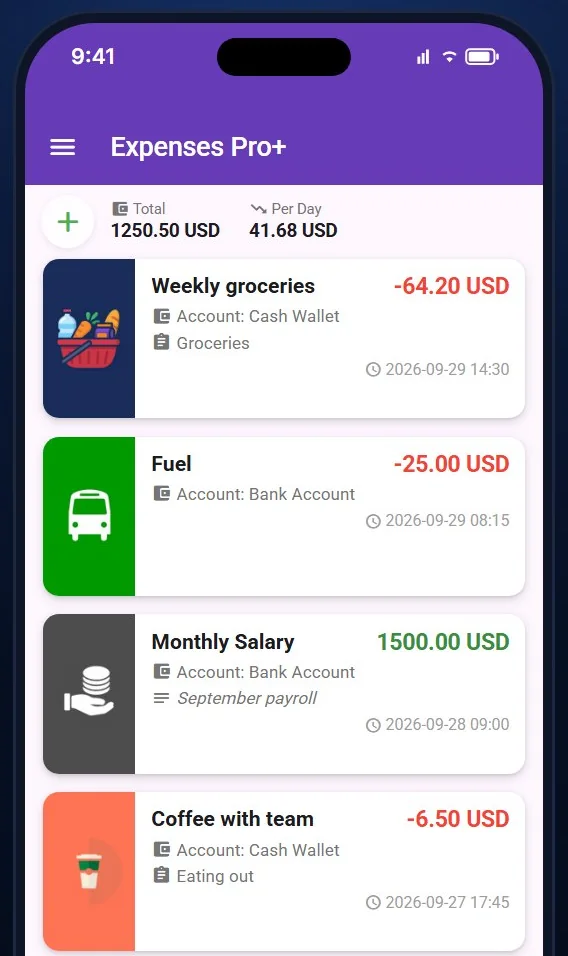
Add a purchase with an amount, account and category, and the app does the rest: daily totals, per-day averages and a clean history you can search and correct.
- Suggestions speed up repeated entries
- Transfers between accounts stay linked
- Income logged with its source
Plan the month and see how it will end
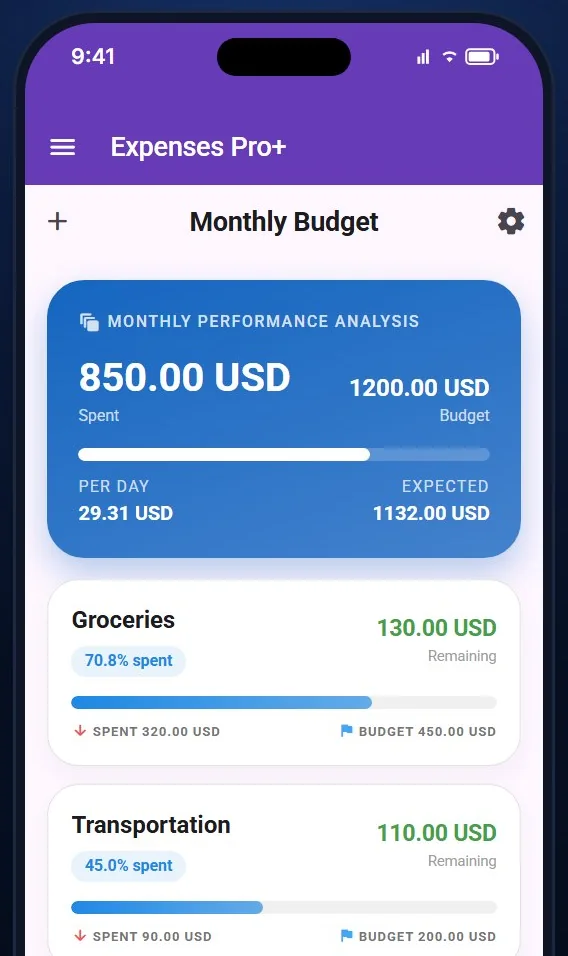
Set a budget per category, watch what is spent and what is left, and get a forecast for how the month will finish before it is over.
- Reusable monthly templates
- Budget versus actual charts
- Per-day pace against the plan
Keep debts and loans on schedule
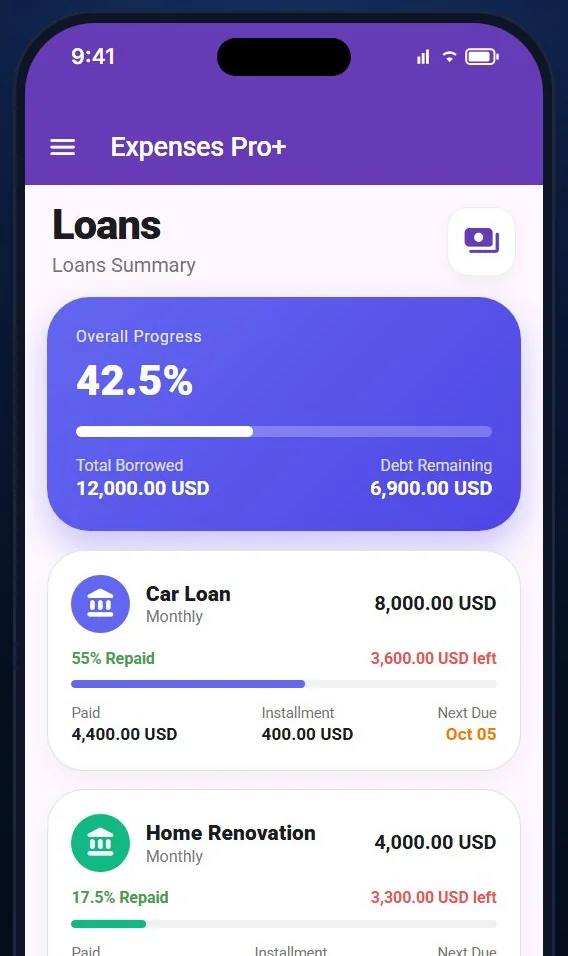
Track who owes you and who you owe per person and currency, and follow every loan from the first installment to the last, with late-payment awareness.
- Installments, interest and progress
- Next due date always visible
- Penalties recorded when payments slip
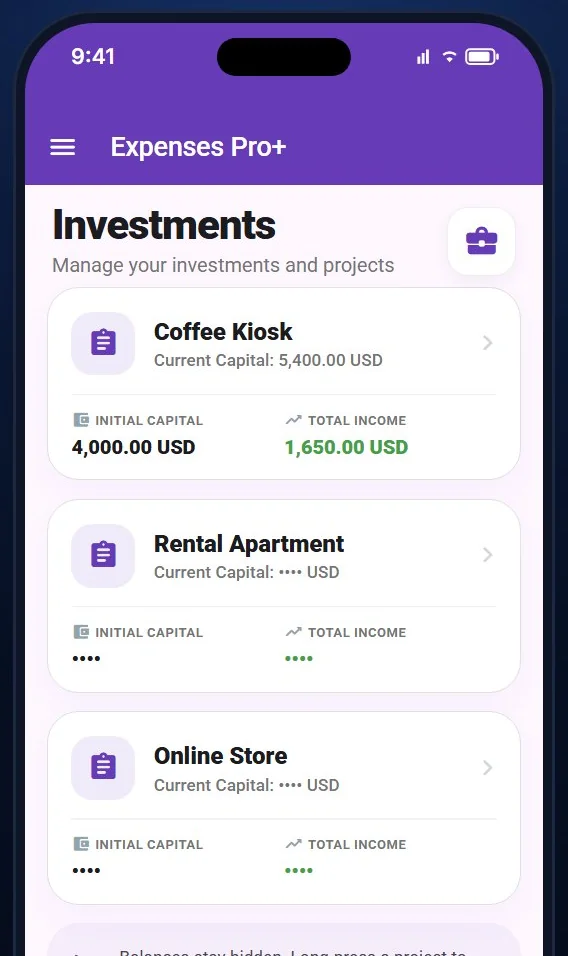
Fund projects and see what comes back
Give each project its own capital, record income and know whether money returning is recovered capital or real profit. Balances stay hidden until you reveal them.
- Capital, income and profit per project
- Project money separate from daily spending
- Privacy by default
Smart reports
A monthly report written for you
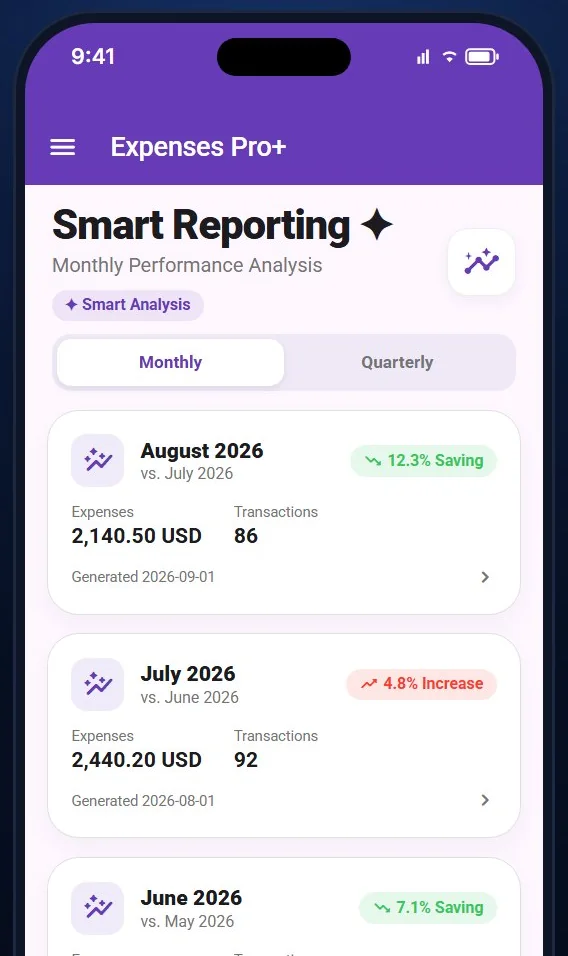
At the end of each month Expenses Pro+ compares your spending with the previous period and writes a short, plain-language report: what went up, what went down and where you can save.
- Monthly and quarterly comparisons
- Category changes explained in plain words
- Past reports kept for reference
August 2026
vs. July 2026
- Expenses
- 2,140.50 USD
- Transactions
- 86
Groceries rose 18% while transport fell 22%. Dining out is up for the third month in a row, mostly at weekends.
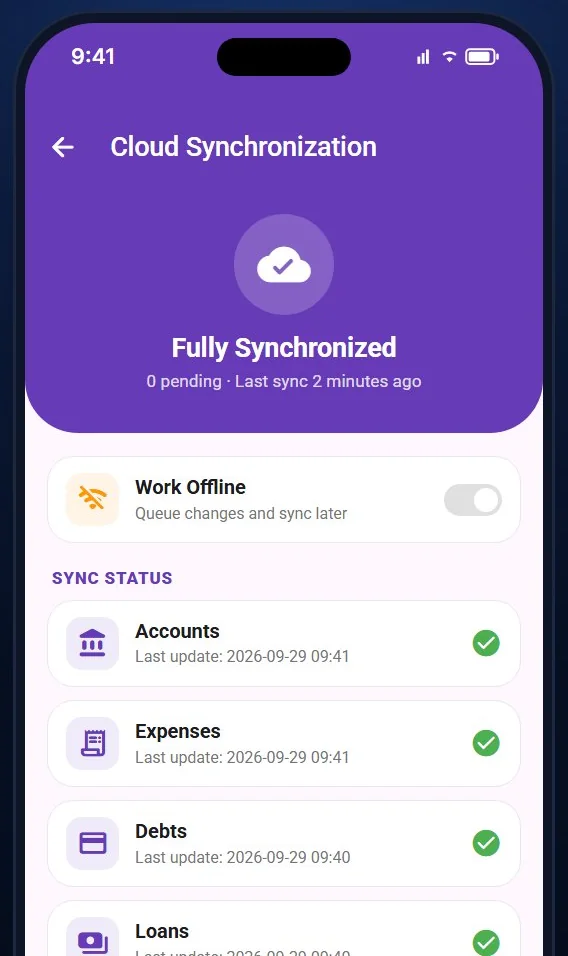
Works without internet. Syncs when you are back.
Every entry is saved on your phone first, so the app is fast and usable anywhere. When you reconnect, changes sync securely to the cloud and across your devices.
- Offline first
- Secure cloud sync
- Multiple devices
Screens
See the app before you install it
Real screens from Expenses Pro+ as they look on a phone.
-
Expense list with daily totals
-
Monthly budget with forecast
-
AI smart reports
-
Loan progress and installments
-
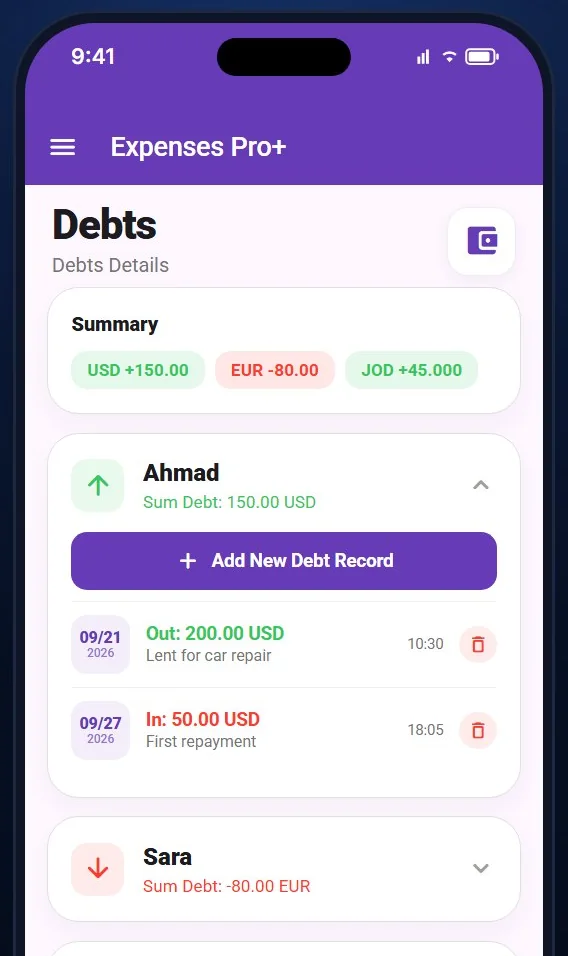
Debts per person and currency
-
Project investments
-
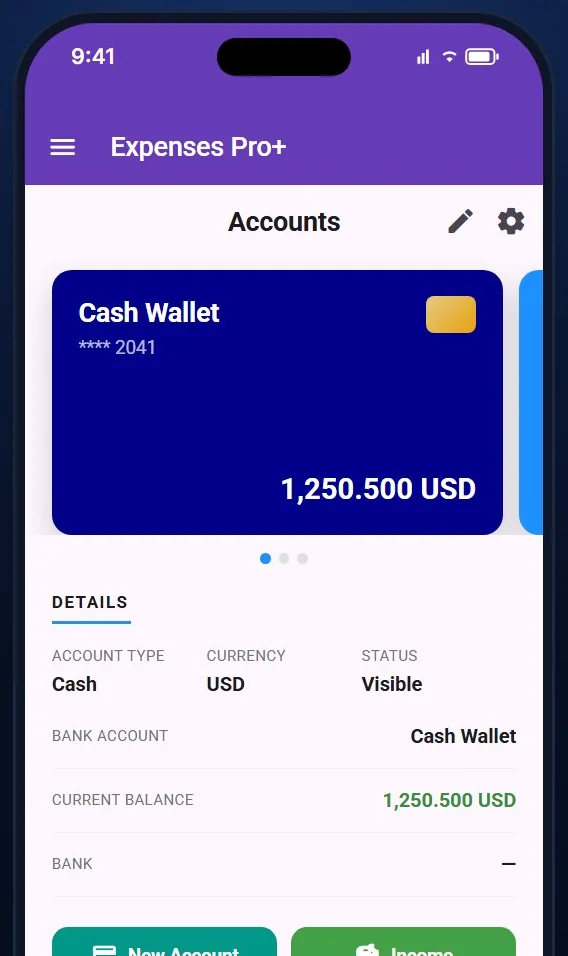
Accounts and cards
-
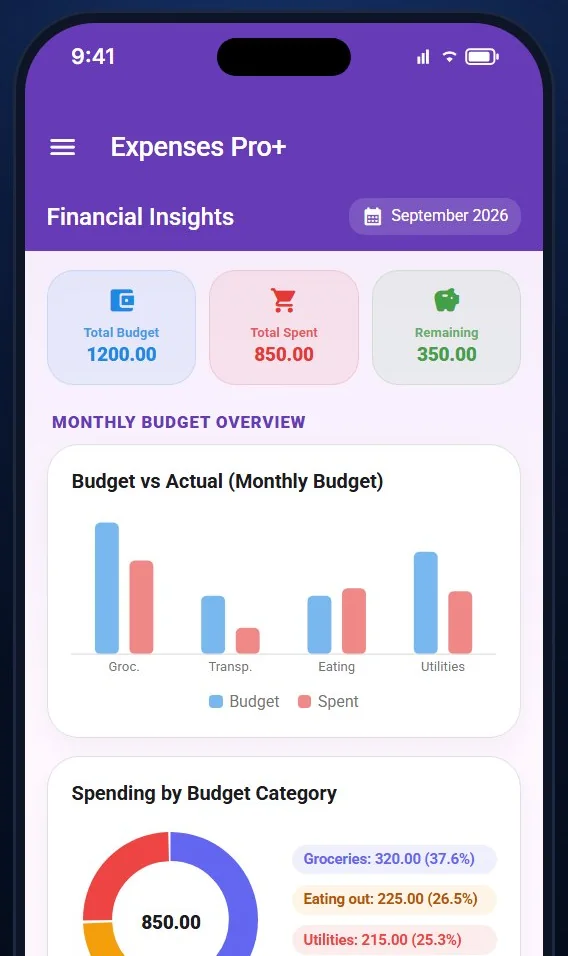
Budget versus actual charts
-
Cloud synchronization
FAQ
Questions people ask
Which phones does it run on?
Expenses Pro+ runs on Android and iOS. The store links will be published here on launch.
Does it work without internet?
Yes. Entries are stored on the device first and synced when you are back online.
Can I use more than one currency?
Yes. Each account has its own currency, and debts and projects are tracked per currency.
Which languages are supported?
English, Arabic, German and Japanese, in both the app and this website.
Is my data private?
Your data belongs to you. Project balances are hidden until you reveal them, sync is encrypted in transit, and you can delete your account and all its data from inside the app at any time.
How are the smart reports generated?
Once a month the app compares your spending with the previous period and generates a short report. Reports are stored so you can look back at earlier months.
Ready to see where your money goes?
Install Expenses Pro+ and start with your first expense today.
Expenses Pro+ is coming soon to the App Store and Google Play. The store links will appear here on launch.